
Download and Install jayahoki77
We offer jayahoki77 access across multiple installation paths so you can choose the method that suits your device and preferences.
Installation Walk-Through
-
Download the jayahoki77 APK or access via browser
For Android, download the APK file from our app link; for iOS, open Safari and navigate to jayahoki77.id to use the mobile web app.
-
Install or add to home screen
On Android, allow installation from unknown sources in your settings, then tap the APK file. On iOS, tap "Add to Home Screen" from the Safari menu to create a shortcut.
-
Create or log into your jayahoki77 account
Register with your email, phone number, and set a secure password. If you already have a jayahoki77 account, sign in immediately.
-
Complete KYC verification and deposit
Upload your government ID and address proof within the app. Once verified, deposit via DANA, e-wallet, mobile banking, local payment, online payment, or direct bank transfer to start playing.
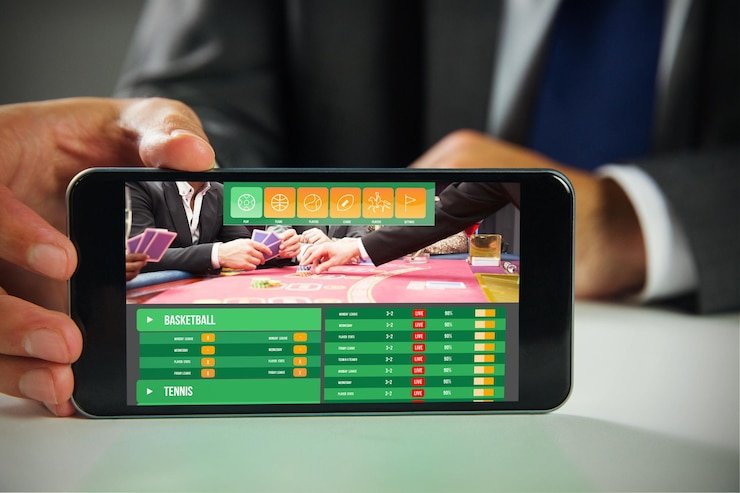
Android APK vs. iOS Browser vs. Web App
Our Android APK provides the fastest, most seamless experience on Android phones. The native app loads jayahoki77 games in milliseconds, stores your recent bets and game preferences locally so they work even on slow networks, sends push notifications for Liga 1 kickoffs and withdrawal confirmations, and integrates directly with your phone's payment apps (e-wallet, mobile banking, local payment). For iOS users, we recommend the browser-based web app accessed through Safari. iOS does not allow third-party app stores, so our web app delivers the same functionality as the Android app through your browser—bookmarked to your home screen, it behaves like a native app with offline caching and notification support. Both paths encrypt your login session, protect your KYC documents, and keep your account data secure.
jayahoki77 Works on Both Android and iOS
Android users install our APK for the native app experience. iOS users access jayahoki77 through Safari and add it to their home screen. Both methods provide full access to sports betting, live casino, and slots.
Device Compatibility and Requirements
jayahoki77 requires Android 7 or later on Android phones, and iOS 12 or later on iPhones. Older devices may struggle with game rendering or payment processing. We recommend having at least 100 MB of free storage on your phone for the APK or web-app cache. A stable internet connection (Wi-Fi or 4G/5G mobile data) ensures smooth gameplay during Liga 1 matches and live roulette sessions. If your device is older or has very limited storage, the mobile web app may work better than the full APK, as it uses less device memory.
Troubleshooting Common Installation Issues
If you encounter an "Unknown Sources" error on Android, go to Settings → Security → Unknown Sources and enable the option. Some Android versions hide this setting under Apps → Special Access → Install Unknown Apps—select your browser or file manager and allow installation. If you see a certificate warning during APK download, this is normal; jayahoki77 uses valid SSL certificates, and your device is simply being cautious. Dismiss the warning and proceed. For iOS users, if Safari does not offer the "Add to Home Screen" option, ensure you are using Safari (not Chrome) and that you have allowed notifications in your device settings. Clear your Safari cache if the jayahoki77 app feels sluggish, then reload.

Data, Permissions, and Account Security
When you install jayahoki77 on your phone, we request only the permissions necessary to operate: internet access (to connect to our servers), camera access (to verify your KYC identity documents), and notification permission (to alert you of withdrawals or Piala Indonesia match updates). We do not request access to your contacts, location, or file system. All communication between your phone and jayahoki77 servers is encrypted using SSL technology, meaning your login password, e-wallet or mobile banking account details, and withdrawal requests are never visible to anyone intercepting your network traffic. Your KYC documents (uploaded ID and address proof) are encrypted immediately and stored in a secure vault separate from your gaming account. Enable two-factor authentication in your jayahoki77 account settings to add an extra security layer—once enabled, logging in from a new device requires both your password and a verification code sent to your phone. Never share your jayahoki77 password, and always log out when you finish playing on a shared phone.
- Android APK
- Native app for Android phones; direct download from jayahoki77; fastest performance and offline caching.
- iOS Web App
- Accessed through Safari; add to home screen; works on iPhones and iPads with iOS 12 or later.
- SSL Encryption
- Secure protocol that encrypts your login, deposits, withdrawals, and all data transmitted from your phone to jayahoki77 servers.